In short
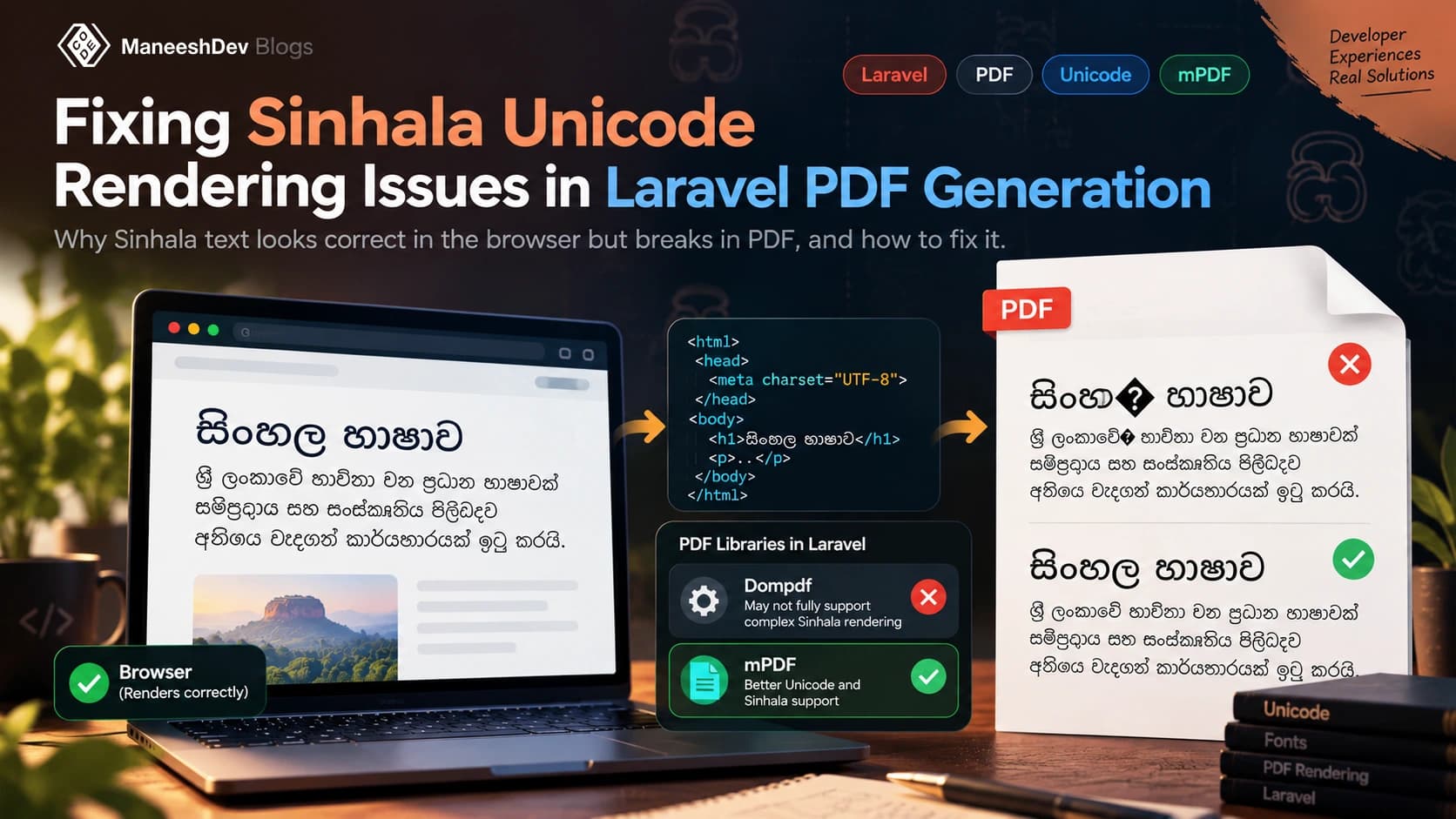
Dompdf has no text-shaping engine, so Sinhala letters that should join into conjuncts or move around the consonant come out broken. Embedding a better font does not fix that. Use mPDF with a Sinhala font that has OpenType layout tables if you want a PHP-only solution, or render the PDF with headless Chrome (Browsershot) if you want exactly what the browser shows.
In November 2020 I asked a question on Stack Overflow: Dompdf Laravel unicode character not rendering correctly (opens in a new tab). The Sinhala text looked perfect in the browser and came out wrong in the PDF. I found a practical workaround at the time (switch to mPDF and use the Kaputaunicode font). This post is the longer, corrected version: why it happens, what the options are in 2026, and how to pick one.
The problem: right in the browser, wrong in the PDF
A Blade view with Sinhala text renders correctly in Chrome, Firefox and Safari. Pass the same HTML to barryvdh/laravel-dompdf and the PDF has letters in the wrong order, vowel signs floating beside the wrong consonant, or conjuncts split into separate letters. Copying the text out of the PDF still gives the right Unicode, which is the clue: the data is fine, the drawing is not.
A common first guess is a missing font. Embedding a Sinhala TrueType file with @font-face does stop boxes and question marks, but it does not fix the ordering and joining problem. That needs something else.
Why it happens: text shaping
Sinhala is a Brahmic script. The characters you store are in logical (typing) order, but what is drawn is decided by text shaping: the engine reads the font's OpenType tables (GSUB for substitutions, GPOS for positioning) and applies script rules. Browsers do this with HarfBuzz (Chrome, Firefox) or the platform shaper (Safari). Microsoft's Sinhala OpenType specification (opens in a new tab) describes the rules fonts and shaping engines follow.
Three things the shaping step does that a plain "one code point, one glyph" renderer will not:
- Conjuncts. ක්ෂ is three code points (ka, al-lakuna, ssa) drawn as one joined shape.
- Reordering and split vowels. In කොළඹ the vowel sign is written around the consonant, not after it.
- Joiners. In ශ්රී and ප්ර an invisible zero-width joiner (U+200D) asks for the special ra forms. Strip it and the word changes shape.
Dompdf has no complex-script shaping engine, so it draws glyphs in code-point order. Its own Unicode guide (opens in a new tab) covers fonts and encoding, not shaping. That is why the font is not the cause and cannot be the cure.
Your options in 2026
| Engine | Shapes Sinhala? | Runs on | Verdict |
|---|---|---|---|
| Dompdf | No | PHP only | Fine for Latin text. Not for Sinhala. |
| mPDF 6 and later | Yes, through OpenType layout (OTL) | PHP only | Best PHP-only option. Needs a font with OTL tables. |
| TCPDF | Not an OpenType shaper | PHP only | Verify with your own strings before using it. |
| Browsershot (headless Chrome) | Yes, HarfBuzz | Node.js and Chrome | Closest to the browser. Heavier to host. |
| wkhtmltopdf (Snappy) | Reported to work (old Qt WebKit) | Binary | Archived since 2023. Avoid for new projects. |
| Hosted PDF APIs | Depends on the provider | HTTP call | Run the test page below before you pay. |
Fix 1: mPDF with a Sinhala OTL font
mPDF only shapes a script when the font has the right tables and OTL is switched on for that font. The mPDF OpenType layout page (opens in a new tab) says the font file needs GDEF, GSUB and GPOS tables. Noto Sans Sinhala has them. Download static TTF files (not the variable font) and put them in resources/fonts.
- Install:
composer require mpdf/mpdf. - Copy
NotoSansSinhala-Regular.ttfandNotoSansSinhala-Bold.ttftoresources/fonts. - Register the font with
useOTLset, and make it the default font.
use Mpdf\Config\ConfigVariables;
use Mpdf\Config\FontVariables;
use Mpdf\Mpdf;

public function show()
{
    $fontDirs = (new ConfigVariables())->getDefaults()['fontDir'];
    $fontData = (new FontVariables())->getDefaults()['fontdata'];

    $mpdf = new Mpdf([
        'mode' => 'utf-8',
        'tempDir' => storage_path('app/mpdf'),
        'fontDir' => array_merge($fontDirs, [resource_path('fonts')]),
        'fontdata' => $fontData + [
            'notosanssinhala' => [
                'R' => 'NotoSansSinhala-Regular.ttf',
                'B' => 'NotoSansSinhala-Bold.ttf',
                'useOTL' => 0xFF, // turn on OpenType layout (shaping) for every script
            ],
        ],
        'default_font' => 'notosanssinhala',
    ]);

    $mpdf->WriteHTML(view('sinhala_document')->render());

    return response($mpdf->Output('document.pdf', 'S'), 200, [
        'Content-Type' => 'application/pdf',
    ]);
}
In the 2020 answer I used Kaputaunicode, which ships with mPDF. It still works for simple text, but it is an older font and its licence is unclear, so I now prefer Noto Sans Sinhala for new work.
Fix 2: Browsershot (headless Chrome)
If the PDF must look exactly like the web page, let Chrome make it. Browsershot (opens in a new tab) drives headless Chrome from PHP, so shaping, CSS grid, flexbox and modern CSS all behave as in the browser. The cost is hosting: you need Node.js and Chrome on the server.
use Spatie\Browsershot\Browsershot;

public function show()
{
    $html = view('sinhala_document')->render();

    $pdf = Browsershot::html($html)
        ->format('A4')
        ->margins(15, 15, 15, 15)
        ->showBackground()
        ->waitUntilNetworkIdle()
        ->pdf();

    return response($pdf, 200, ['Content-Type' => 'application/pdf']);
}
Chrome picks the font from the server, so install a Sinhala font there (a Noto font package on Linux) or load one with @font-face from a file or data URL. Without a font installed, you get boxes even though shaping works.
If you must stay on Dompdf
Embedding a Sinhala font is still worth doing, because it removes the empty boxes. Expect simple words to work and conjuncts and vowel signs to break. Treat it as a stopgap for non-critical documents and plan the move to mPDF.
<style>
    @font-face {
        font-family: 'Noto Sans Sinhala';
        font-weight: normal;
        src: url("{{ public_path('fonts/NotoSansSinhala-Regular.ttf') }}") format("truetype");
    }
    body { font-family: 'Noto Sans Sinhala', sans-serif; }
</style>
I would not move to wkhtmltopdf for a new project. Its repository (opens in a new tab) has been archived and it is built on an old Qt WebKit, so it gets no security or rendering fixes.
Choosing a Sinhala font
| Font | Licence | Use it? |
|---|---|---|
| Noto Sans Sinhala (opens in a new tab) | SIL Open Font Licence | Yes. Free, complete, maintained. First choice. |
| Noto Serif Sinhala | SIL Open Font Licence | Yes, for a serif look. |
| Abhaya Libre | SIL Open Font Licence | Yes. Sinhala and Latin serif, good for headings. |
| Kaputaunicode | Unclear | Works in mPDF, but check the licence before you redistribute it. |
| Iskoola Pota | Proprietary (Microsoft) | Only where it is already installed. Do not bundle it. |
| FM Abhaya and other legacy fonts | Varies | No. They use the old non-Unicode encoding and do not work with Unicode text. |
| DejaVu Sans (Dompdf default) | Free | No. It does not cover Sinhala. |
Check the licence file for any font you embed in a PDF. Embedding redistributes a subset of the font, so "free to install" is not always "free to embed".
Test it with a known page
Do not judge a fix by one easy word. Use a page that contains conjuncts, joiners and split vowels, and compare the PDF with the browser side by side.
<!doctype html>
<html lang="si">
<head>
<meta charset="utf-8">
<style>
body { font-family: 'Noto Sans Sinhala', sans-serif; font-size: 16pt; }
</style>
</head>
<body>
<p>සිංහල</p>
<p>ශ්රී ලංකා</p>
<p>ක්ෂ / ප්ර / කොළඹ</p>
<p>ආයුබෝවන්</p>
</body>
</html>Then check each of these:
- ක්ෂ and ප්ර are single joined shapes, not three separate letters.
- In කොළඹ the vowel signs sit on the correct sides of the consonant.
- ශ්රී has the special ra form. If it looks like a plain "sri", the joiner was lost somewhere.
- Copy a word from the PDF into a text editor. You should get the same Unicode you started with.
- Fonts are embedded as subsets, so the file size stays sensible.
- Long paragraphs wrap at sensible places and page breaks do not split a word.
Common pitfalls
- Variable fonts. The Google Fonts download of Noto may be a variable font. Use static instances with mPDF.
- Forgetting `useOTL`. mPDF has the engine, but a font registered without
useOTLis drawn unshaped. - Lost joiners. Some editors and database exports strip U+200D. Keep the column and file encoding UTF-8 (
utf8mb4in MySQL) and test with the sample page. - No font on the server. Headless Chrome uses installed fonts. A missing font gives boxes, not an error.
- Cached fonts. After changing a font in Dompdf or mPDF, clear its font cache and temp directory.
- Version drift. Behaviour changes between releases. Keep the test page in your repository and run it after upgrades.
Which one should you use?
- Invoices, reports and certificates with simple layouts, and you want PHP only: mPDF with Noto Sans Sinhala.
- Complex layouts, modern CSS, or it must match the web page exactly: Browsershot.
- You are already on Dompdf with mostly Latin text: keep it, and move only the Sinhala documents.
- You cannot host Node.js and Chrome: mPDF, or a hosted API after you test it with the sample page.
Sources
- Dompdf Laravel unicode character not rendering correctly (Stack Overflow) (opens in a new tab)The original question, November 2020.
- mPDF manual: OpenType layout (OTL) (opens in a new tab)Supported scripts including Sinhala, and the font table requirements.
- Microsoft: Developing OpenType fonts for Sinhala script (opens in a new tab)How Sinhala shaping works.
- Dompdf wiki: Unicode how-to (opens in a new tab)
- Noto Sans Sinhala (Google Fonts) (opens in a new tab)
- Spatie Browsershot documentation (opens in a new tab)
- wkhtmltopdf repository (archived) (opens in a new tab)